
Blog
Blog feature showcase
A demonstration of the reading experience: footnotes, marginal notes, images, mathematics, formatting and reader controls. Sample content, not institute teaching.

Welcome to the showcase
This is a demonstration article, published to let you explore the blog’s reading features. The examples below illustrate formatting and interaction; they are not institute teaching or an announcement of a programme.
On a wide screen, use the table of contents beside the article. Its compact rail reveals heading labels on hover or keyboard focus. On a small screen, open the contents bar. Try reader mode, the theme control, reading progress, and the share controls too.
Footnotes and return links
A footnote adds detail without interrupting the sentence.1 A second note receives the next number.2 Referencing the first note again preserves its number and gives it another return link.1
Marginal notes
An unnumbered note uses a dagger.†
A numbered note shows its authored number.3
Words can be the anchor
You can attach a note to a selected phrase† or give another selected phrase4 an explicit number.
Collapsible notes
These adjacent notes demonstrate how the margin handles crowded annotations.† A longer note follows immediately.† One more nearby note makes the spacing behaviour easier to inspect.†
Images and image notes
The diagram below is an original demonstration asset. Select the image to visit its attached note, or use the separate enlargement control to inspect it.
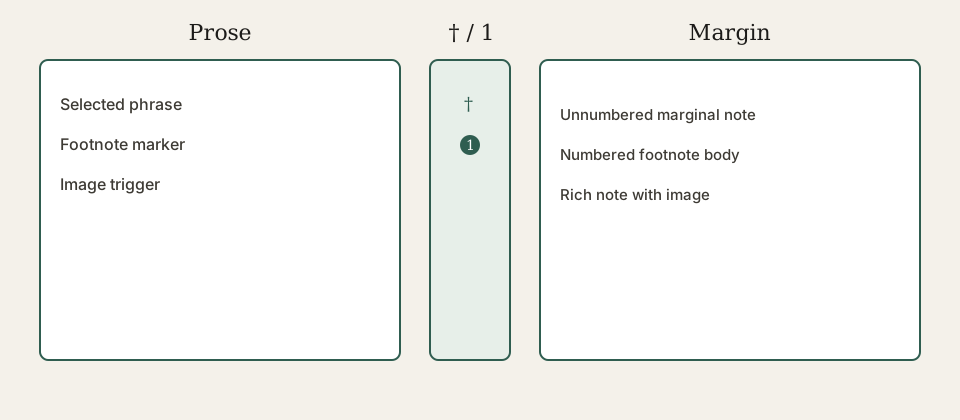
A note can itself contain an image.†
Everyday formatting
Use bold, italics, strikethrough, and inline code such as const reading = true. Links can have descriptive labels or appear as automatic links: https://alimla.com/.
Lists
- An unordered item
- Another item
- A nested item
- A second nested item
- Open the article.
- Follow a note.
- Return to the sentence.
- Read the opening
- Inspect a note
- Try reader mode
Quotations and callouts
A quotation can provide a pause in the reading rhythm.
This sentence is sample copy written for the demonstration.
This is a note callout, separate from a footnote or marginal note.
Use the keyboard to move through links and controls.
Demo content should remain clearly labelled.
This warning is a formatting example, not an operational alert.
No action is required by this sample callout.
Tables
| Feature | Wide screen | Narrow screen |
|---|---|---|
| Table of contents | Side rail | Disclosure |
| Notes | Margin and endnotes | Endnotes |
| Images | Enlarge control | Enlarge control |
Code blocks
const features = ['footnotes', 'marginalia', 'reader mode'];
for (const feature of features) {
  console.log(feature);
}
Mathematics
Inline mathematics fits into a sentence: .
Display mathematics has its own space:
These expressions demonstrate mathematical typesetting only.
Language and long content
Arabic text can appear alongside English: العلم والمعرفة. This line is a typography sample.
Long code remains scrollable within its block:
https://alimla.com/example/a-deliberately-long-demonstration-path/with-several-segments/to-check-reading-width-and-horizontal-overflow
Repeated heading
The first occurrence receives its own linkable heading anchor.
Repeated heading
The second occurrence receives a distinct anchor so the contents links remain usable.
Continue exploring
The Portable Text companion demonstrates the same notes authored through the rich-text editor. Both articles belong to the same demonstration series, so the series navigation connects them. The Demo tag also groups them on a tag page.
Try sharing this article, changing the theme, opening an image, or switching to reader mode. The endnotes below remain the complete reference for every note.
Footnotes
This is the first footnote. Its return arrow takes you back to the reference in the article. Repeated references have separate return links. You can also follow a normal link to the blog. ↩a↩b
Notes can contain emphasis, italics, and a useful explanation. On narrow screens and in reader mode, read the full notes at the end of the article. ↩
Marginal notes
This is an unnumbered marginal note. The dagger is its visible marker; it does not acquire an invented number. ↩
This marginal note has the explicit number 3, so the number takes priority over the dagger. ↩
The words themselves link to this marginal note. ↩
This phrase carries the authored number 4. ↩
A short note beside the paragraph. ↩
A marginal note can contain more than a single sentence. When there is not enough room beside neighbouring notes, the desktop margin shows a faded preview. Select the reference, note, or marker to expand it; select it again or press Escape to collapse it. The article itself keeps its position.
This second paragraph demonstrates a longer annotation with formatted text and a link. Hover changes emphasis without shifting the prose. ↩
The margin has its own layout. On mobile the canonical endnotes provide the complete content. ↩
This note is attached to the image above, rather than to a word. Images retain a separate enlargement control. ↩
An illustrated margin note:
The image belongs to the note body and can be read with the rest of the annotation. ↩